Surveying and earthworks tools for iCADMac
Two ribbon tabs with the commands surveyors use every day: coordinate systems, satellite maps, points, contours, coordinate tables, terrain surfaces and cut/fill volumes. All inside the DWG you already have open.
Version 2026Apple SiliconiCADMac 2024 or laterEnglish
 Any coordinate systemFull EPSG list, transformations by PROJ.
Points and contoursFrom survey files, PDFs and DEMs.
Any coordinate systemFull EPSG list, transformations by PROJ.
Points and contoursFrom survey files, PDFs and DEMs.
 Coordinate tablesVertices, distances, bearings, areas.
EarthworksSurfaces, cut/fill, volumes, sections.
Coordinate tablesVertices, distances, bearings, areas.
EarthworksSurfaces, cut/fill, volumes, sections.
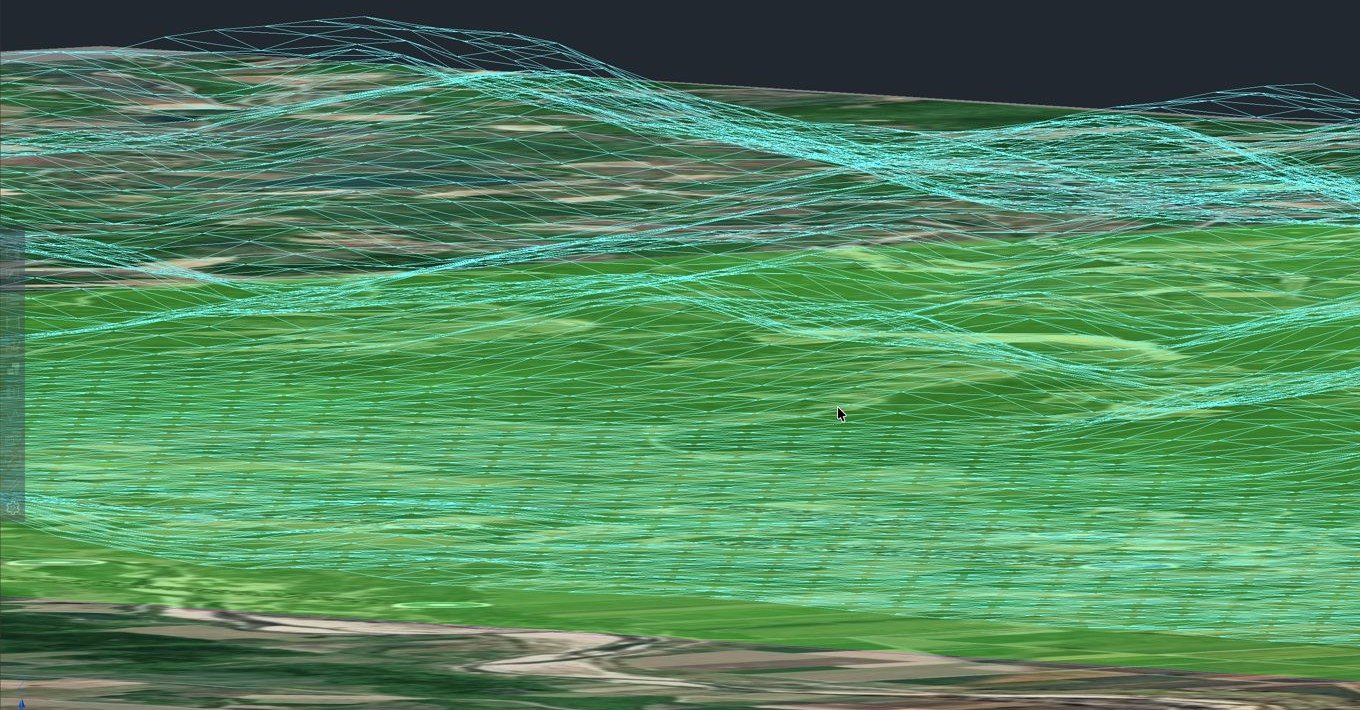
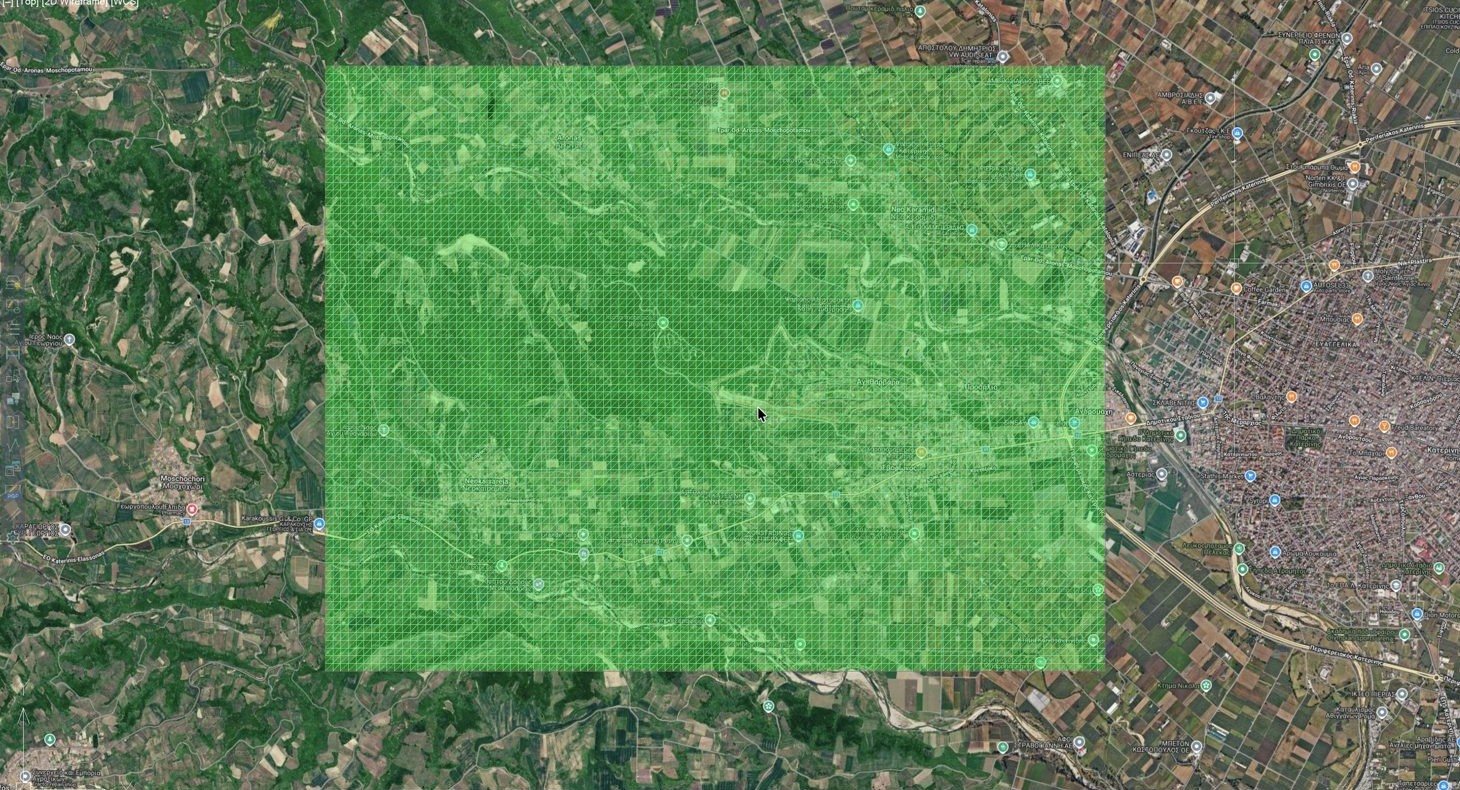
The pictures show real drawings: screenshots from iCADMac on macOS and example results from the tools.
The Topo Tools tab
Each button opens a small dialog with its options. You don't need to remember commands, but you can type any of them if you prefer.

The Topo Tools tab in iCADMac on macOS.
| Tool | What it does |
|---|---|
| Coordinate system | |
 Coordinate SystemCRS_SELECT | Sets the drawing's coordinate system. You can pick any EPSG code and the choice is saved in the DWG. |
 Transform objectsCRS_TRANSFORM | Moves existing geometry from one coordinate system to another. |
| Live map | |
 Map ON / OFFGMAPON · GMAPOFF | Shows satellite, hybrid or OpenStreetMap imagery behind the drawing. It updates as you pan and zoom. |
 Save images | Saves the imagery on screen as georeferenced image files. |
 Drawing scaleTT_SCALE | Sets one drawing scale for all Topo Tools text, symbols and tables. |
| Maps and images | |
 Google / OSM image | Inserts a high-resolution image for an area or a polygon, positioned and scaled in your coordinate system. |
 Georeferenced images | Imports and exports images with world files. Includes cropping to a boundary and rubbersheeting (affine, 2nd or 3rd order, with residuals). |
 SHP and KML | Imports shapefiles with their attributes. Imports and exports KML/KMZ, reprojected automatically. |
 Import / export points | Reads CSV, TXT and XYZ files with any column order and draws symbols and labels at the drawing scale. It can also read a coordinate table from a PDF or scanned image. Exports points, or polyline vertices, to CSV or TXT. |
 Contours | Draws contours from points through a TIN, with breaklines, index contours and labels. |
 DEM contours | Draws contours directly from a GeoTIFF or ASCII grid DEM. |
| Coordinates and drafting | |
 Coordinate tableTPSM | Creates tables of vertex coordinates, distances and bearings, with area and perimeter. 2027 per-layer tables with naming options and an area summary. |
 Grid | Draws a coordinate grid with labels on the sides you choose. |
 Legend | Draws a north arrow and a legend of the layers and linetypes in the drawing, at the drawing scale. |
 Drawing Aid | Opens a palette of surveying symbols and special linetypes, with previews. |
 Parcel subdivision 2027 | Splits a parcel by area with a cut line that slides at a fixed bearing, swings around a vertex, or divides it into equal parts. Shows a live preview. |
Points and contours
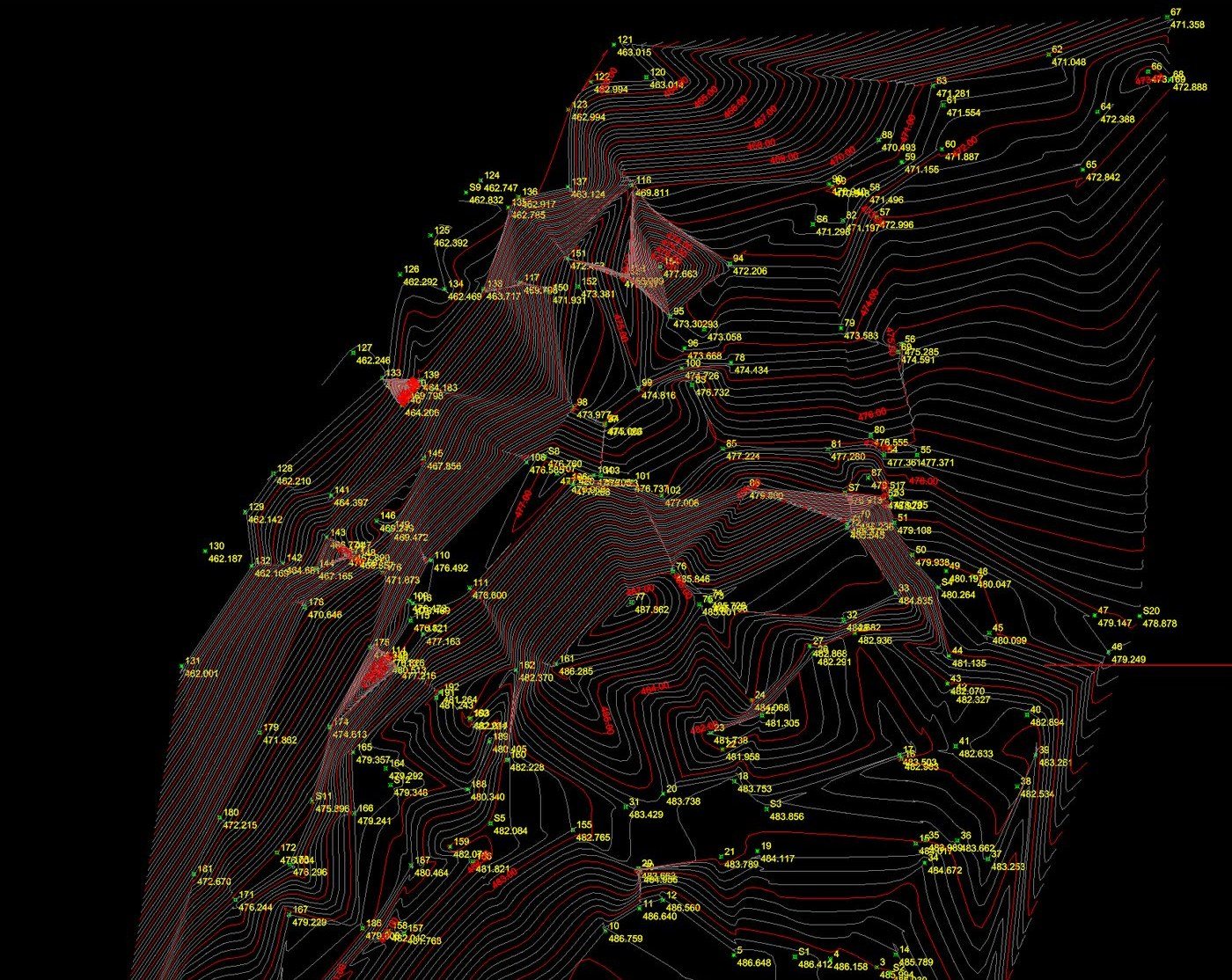
Import a survey file and you get numbered points with elevations on their own layer. Contours are drawn from the same points. You can add breaklines, and choose the interval and the index contours.
Screenshot from iCADMac on macOS.
Coordinate tables
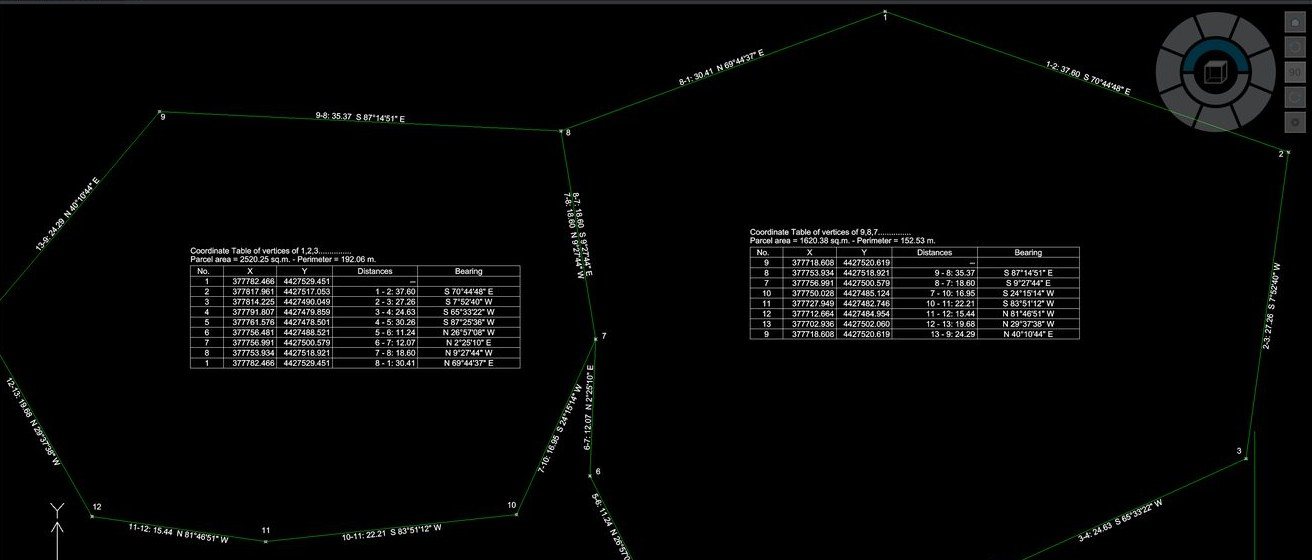
Select one or more parcels and place the tables wherever you want. Each table lists the vertices, the distances and the bearings, and the area and perimeter appear in its title.
Screenshot from iCADMac on macOS.
The Earthworks tab
Earthworks is a separate module with its own ribbon tab. It builds terrain surfaces from almost any source and compares existing ground with a design. From there you get volumes, long profiles and cross sections.

The Earthworks tab in iCADMac on macOS.
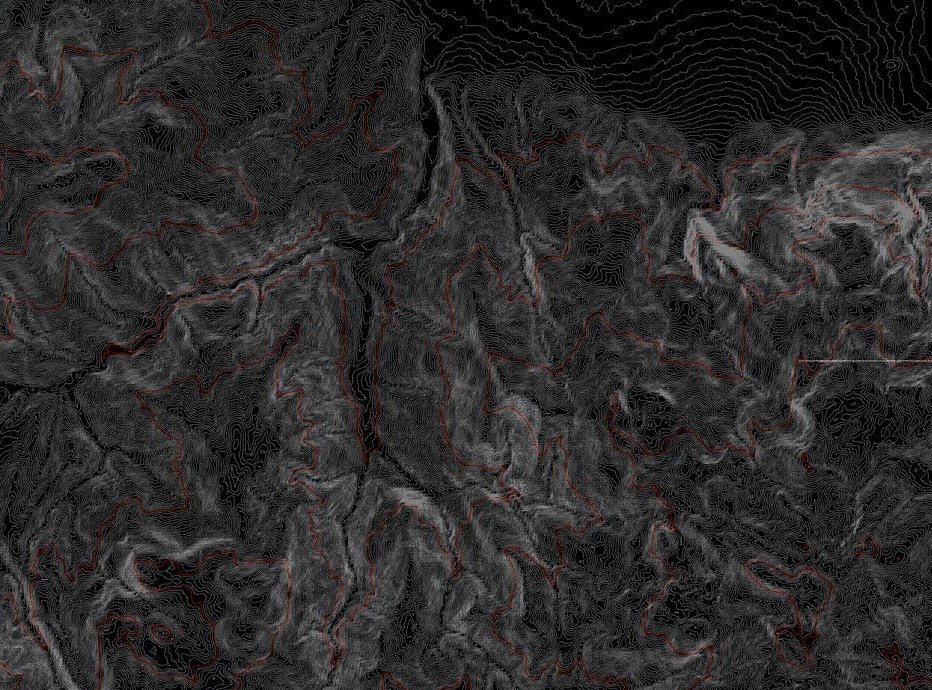
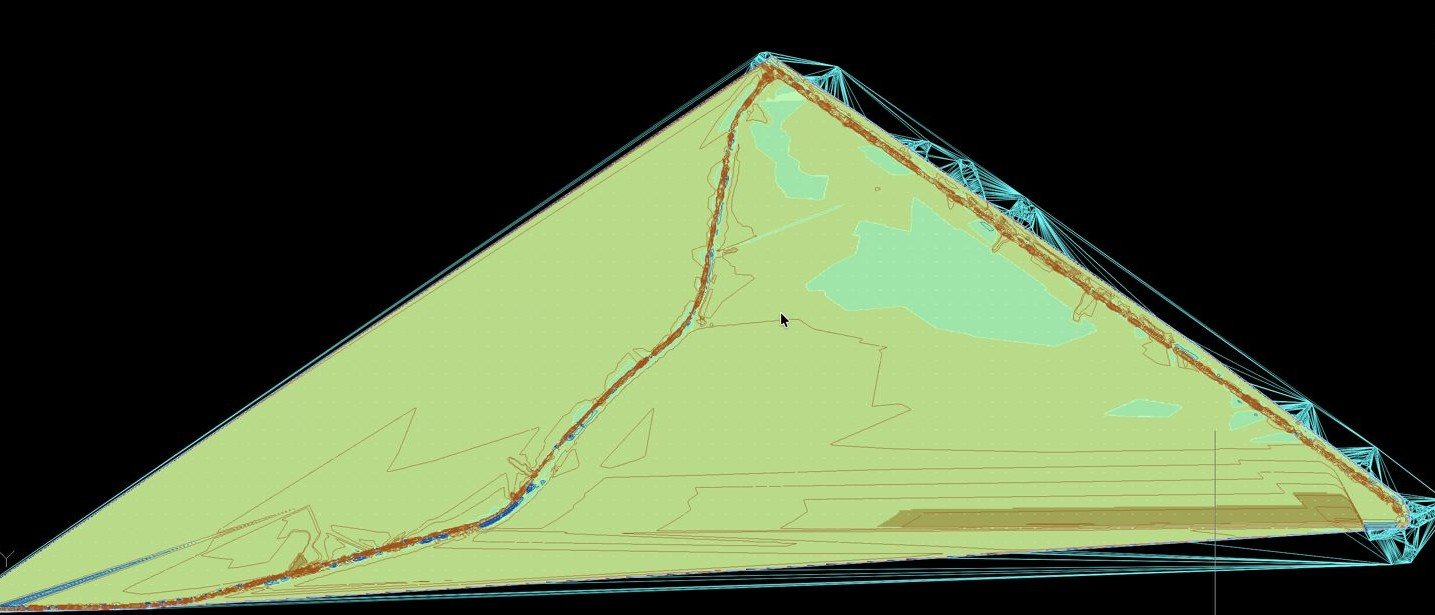
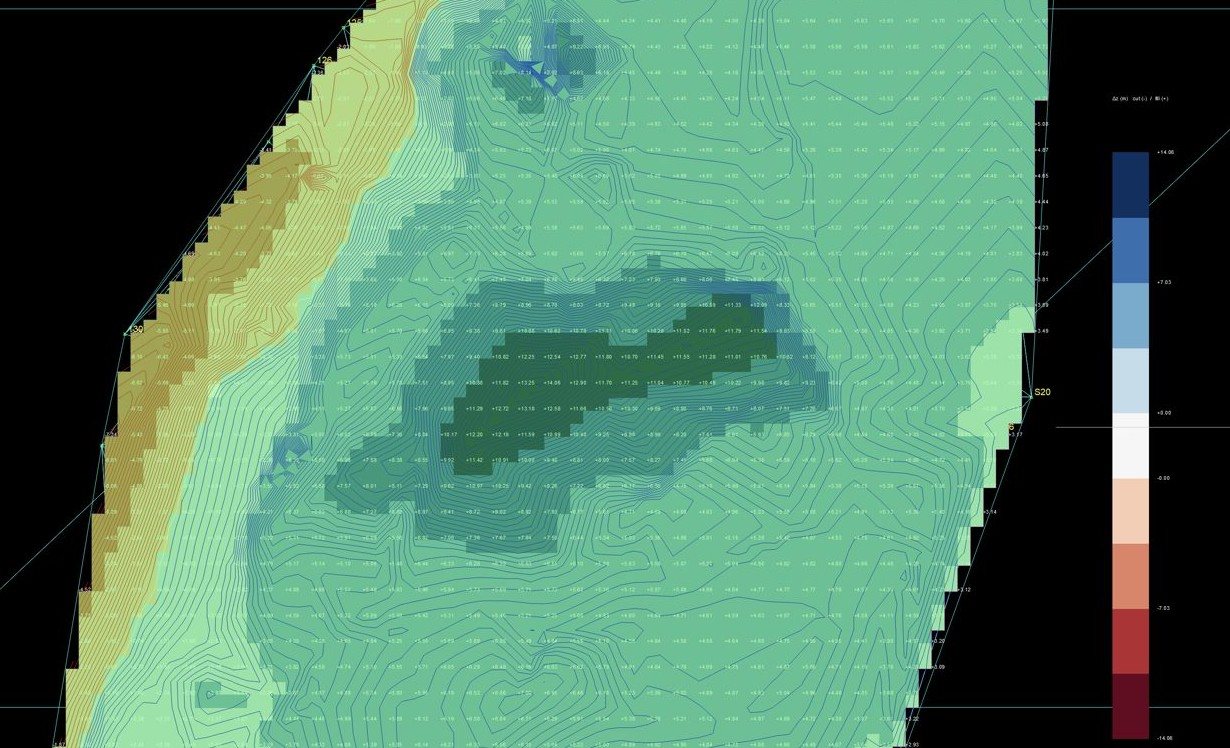
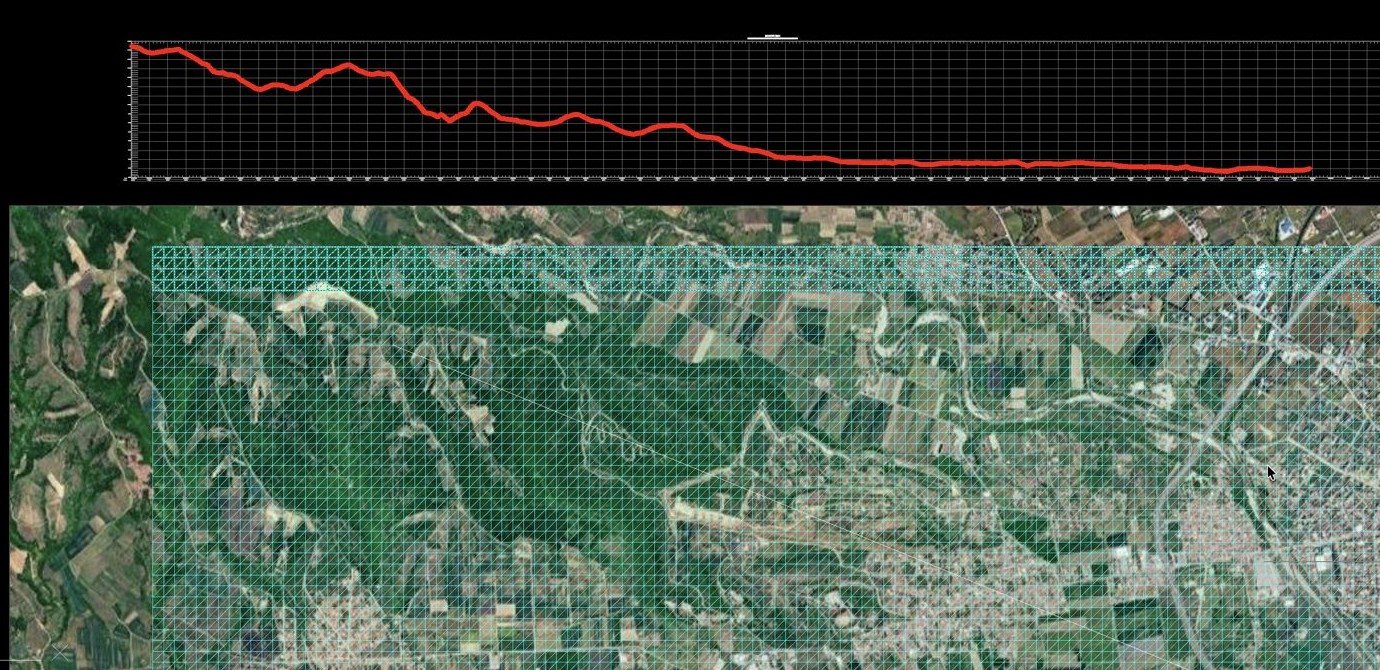
Example results from the Earthworks tools. Click an image to enlarge it.
 ImportPoints, DEM, LiDAR, LandXML
 SurfaceA TIN kept in the DWG
 CompareExisting against design
 VolumesCut, fill and a Word report
 SectionsProfiles and cross sections
Earthworks tools in detail
| Tool | What it does |
|---|---|
| Import | |
Import file | Reads points (CSV, TXT, XYZ), DEMs (GeoTIFF, ASCII grid), LAS/LAZ, LandXML or a saved .ttsurf file and builds a surface. It detects the format by itself. |
 DEM SRTM | Downloads the 30 m Copernicus or SRTM elevation model for an area and converts it to your coordinate system. |
 LAS/LAZ | Previews a point cloud coloured by elevation. You can filter it by class (for example ground only) and thin it out before importing. |
From the drawing | Builds a surface from points, 3D polylines or 3D faces that are already in the drawing. |
 From contours 2027 | Builds a surface from existing contour lines. Elevations come from 3D polylines or from the nearby text labels. |
 Merge DEM 2027 | Combines a coarse DEM with detailed survey data into one surface. |
| Surfaces | |
 Surface Manager | Lists every surface in the drawing and lets you change its colour, layer and display style, including an elevation map. |
 Edit and contours | Edits a surface and draws contours from it. |
Comparison | Compares existing and design ground. It draws a coloured cut/fill map with ΔZ lines, labels and separate cut and fill layers. |
 Combination 2027 | Adds or subtracts surfaces (A + B, A − B). |
Volumes | Calculates cut, fill and net volume between two surfaces, or between a surface and a level, inside an optional boundary. The result is exact, not grid-sampled. It can be exported as a Word (.docx) report. |
 Grading separate key | Reshapes a surface inside a boundary until it reaches a target volume. You can set exclusion zones, height caps and the slope shape. |
| Profiles and cross sections | |
 Alignment chainage | Marks chainages along an alignment. |
 Profile and grade line | Draws a long profile and lets you design a grade line with PIs and vertical curves. |
Cross sections | Draws cross sections at the interval you set. |
| Export | |
 Export surface | Saves a surface as .ttsurf, LandXML, DXF 3D faces, GeoTIFF with a world file, or a point file. |
Coordinate systems
Topo Tools isn't tied to one country. You choose the coordinate system once per drawing and every tool uses it: background maps, KML, shapefiles, DEM downloads and LandXML. The transformations use PROJ, the standard open-source library.
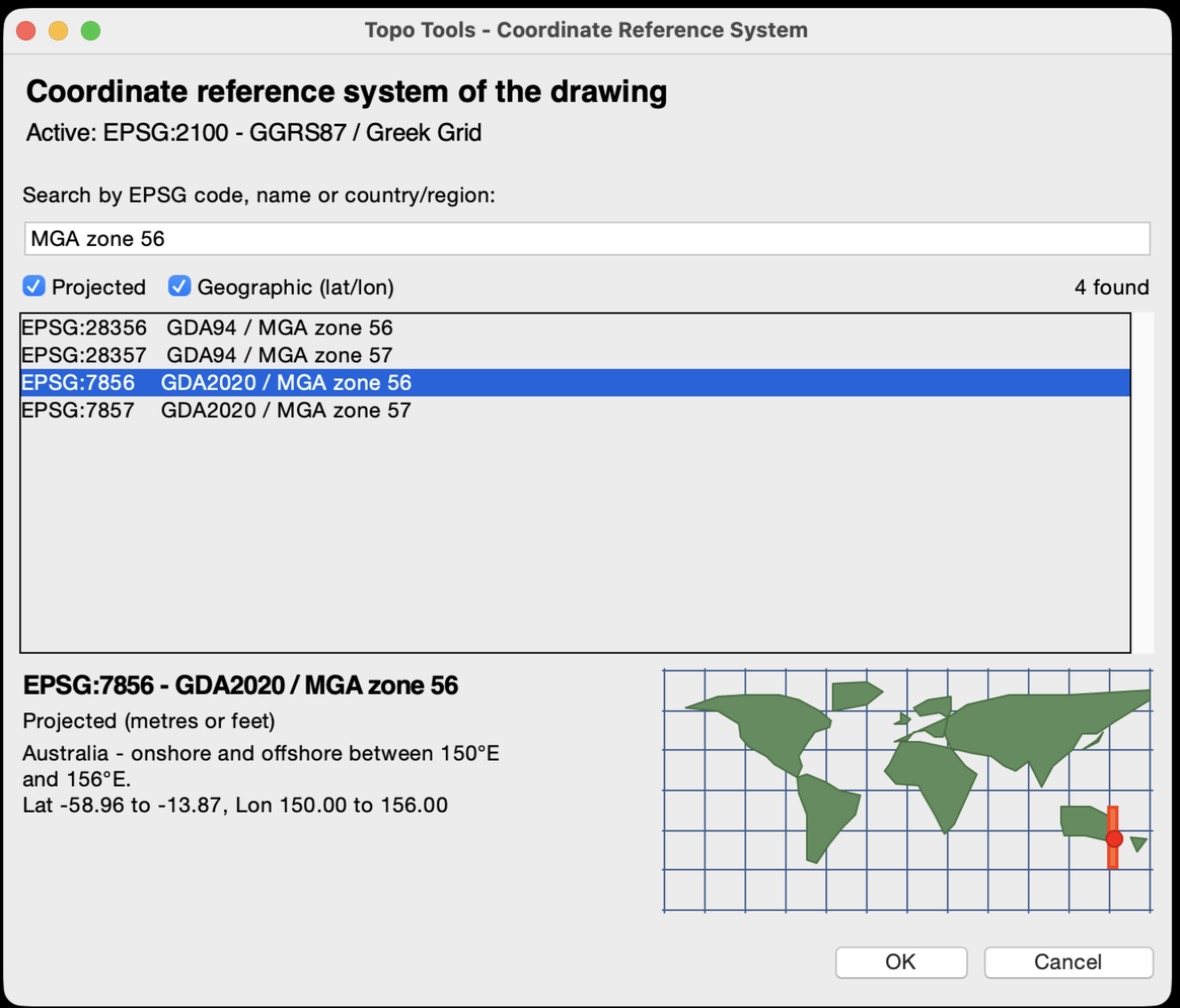
Search the full EPSG list
Search by code, name or country. The dialog shows each system's area of use on a small world map.
- UTM zones and national grids, for example GDA2020 / MGA, British National Grid, NZTM2000, ETRS89 / UTM and the US State Plane systems
- Projected and geographic (latitude/longitude) systems
Screenshot from iCADMac on macOS.
Changing the system later
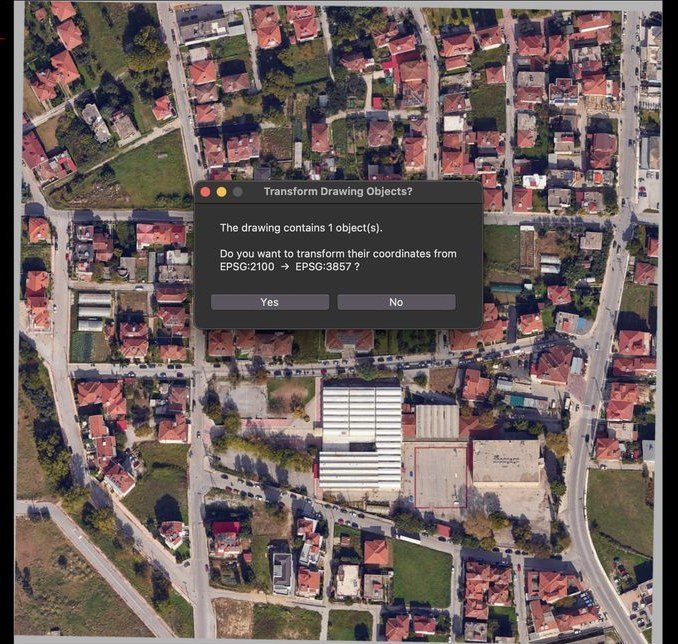
If you switch an existing drawing to another coordinate system, Topo Tools asks whether to transform the objects already in it. Your work moves with the change.
Screenshot from iCADMac on macOS.
Pricing
Each licence covers one Mac. You can pay every year or buy a permanent licence once. Topo Tools and Earthworks are sold separately, with a lower price when you buy both permanently.
| Annual | Permanent | |
|---|---|---|
| Topo Tools | 280 € / yearBuy | 850 €Buy |
| Earthworks | 280 € / yearBuy | 850 €Buy |
| Both | 560 € / yearBuy | 1,500 €BuyYou save 200 € |

Free 5-day trial
Both tabs, every tool, no card. Install, then click Activate key in iCADMac.
How to startPrices are in euros and exclude VAT. Businesses in other EU countries with a VAT number and customers outside the EU pay no VAT. Customers in Greece, and individuals elsewhere in the EU, pay 24% VAT (details). The order form shows the exact total before you pay. You can pay with PayPal, a debit or credit card, or by bank transfer.
A permanent licence covers the edition you buy and does not include future editions. Features marked 2027 belong to the 2027 edition and work with licences that cover it. Contact us about the Grading key.
Installing
- Open iCADMac once and close it, so its support folder exists.
- Run the .pkg installer. It is signed and notarized by Apple. It installs Python 3.13 and the libraries Topo Tools uses (PROJ, NumPy, Shapely, Pillow and others) and adds the ribbon tabs.
- Start iCADMac and click Activate key to start the 5-day trial, or to activate a licence you bought.
- In each new drawing, click Coordinate System and choose your EPSG code.
How licensing works
When you buy, you get a licence key by email. With PayPal or a card it usually arrives within minutes. In iCADMac click Activate key, paste the key and restart iCADMac. One key activates one Mac. There is no licence file to copy. If you replace your Mac, write to us and we'll move the licence.
Requirements
- CAD
- iCADMac 2024 or later
- Mac
- Apple Silicon (M1 or newer)
- macOS
- 13 Ventura or later
- Python
- 3.13, installed for you
- Internet
- For activation, background maps and DEM downloads. Working with local files does not need it.
- Language
- English
Try it on your own drawings
Five days, both tabs, everything unlocked.
Order
Choose what you need and tell us who the invoice is for. You can pay now with PayPal or a debit or credit card, or ask for an invoice and pay by bank transfer. Your licence key comes by email.
A licence key by email, 24 letters and digits. In iCADMac click Activate key, paste the key and restart iCADMac. One key activates one Mac. Annual keys run for a year, permanent keys don't expire.
- PayPal or card. You pay now and the licence key usually arrives by email within minutes, followed by the invoice.
- Bank transfer. We email you an invoice with our bank details and send the licence key when the payment arrives.
- VAT. Added only where it applies, depending on your country and whether you have an EU VAT number. How VAT works.
Thank you, payment received
- Open iCADMac on the Mac where you'll use Topo Tools.
- Click Activate key, paste the key and click Activate.
- Restart iCADMac.
Order . We'll email the licence key and the invoice to within one business day.
Email us a copy of the order details (optional).
Questions
Which CAD program does it work with?
iCADMac on macOS, version 2024 or later. Topo Tools adds its commands and ribbon tabs to iCADMac and works with ordinary DWG files.
Will it work with my country's coordinate system?
Most likely, yes. It includes the full EPSG list through PROJ, with UTM zones, national grids, State Plane and geographic systems. If you need a system you can't find, write to us.
What do I get in the trial?
Five days with everything unlocked, both Topo Tools and Earthworks. After installing, click Activate key in iCADMac. You don't need a card.
Do I need Earthworks?
Only if you work with terrain surfaces, volumes, profiles or cross sections. Topo Tools and Earthworks are licensed separately: 280 € per year each, 850 € permanent each, or 1,500 € for both permanently, before VAT.
Do I pay VAT?
It depends on where you are. A business in another EU country with a valid VAT number pays no VAT (reverse charge), and so does anyone outside the EU. Customers in Greece and individuals in other EU countries pay 24% VAT. Choose your country in the order form and you'll see the total before paying. More about VAT.
How can I pay?
With PayPal or a debit or credit card (through PayPal, no account needed), or by bank transfer: request an invoice in the order form and we'll email it with our bank details.
Annual or permanent?
An annual licence runs for one year and can be renewed. A permanent licence is paid once and doesn't expire on that Mac. It covers the edition you buy, for example 2026. It does not include future editions: tools added later, such as those marked 2027, need a licence for that edition.
What does "2027" next to a tool mean?
Those tools belong to the 2027 edition and are unlocked by licences that cover it. Everything else works with any current licence.
I'm getting a new Mac. What happens to my licence?
Write to us with your licence key or order number and we'll move the licence to the new Mac.
Does it need an internet connection?
Only for activation, the background maps and DEM downloads. Surfaces, contours, tables and volumes work offline.
Contact us
Questions about the tools, your coordinate system, licences or invoices? Write to us and we'll get back to you.
If it's about a licence, include your order number (TTM-…) or licence key so we can find it faster.
Terms, VAT and privacy
Who sells Topo Tools for Mac
NOMOTEXNIKI E.E. (limited partnership)
Dimitriou Dimadi 5, 601 33 Katerini, Greece
VAT number EL803373186 · Tax office: Katerini
General Commercial Registry (GEMI) no. 195537648000
Legal representative: Alexandros Tsimerikas
Email: topotoolsmac@topotoolsmac.shop
Terms of sale
What you buy. A licence to use Topo Tools and/or Earthworks in iCADMac on one Mac. You receive it as a licence key, which is bound to the first Mac you activate it on. The software is licensed to you, not sold. You may not copy it to other computers, resell or sublicense it, or remove the licence check.
Annual and permanent licences. An annual licence runs for 12 months from activation and does not renew on its own. A permanent licence does not expire on that Mac and covers the edition you buy, for example 2026. Future editions are not included.
Prices and VAT. Prices are in euros and exclude VAT. VAT is added as described under “VAT” below, and the order form shows the exact total before you pay. If a VAT number you give us is not valid in the EU VIES system, we'll contact you, and you can either pay the VAT that applies or cancel for a full refund.
Payment. By PayPal, with a PayPal account or a debit or credit card, or by bank transfer against our invoice. Card details are handled by PayPal. We never see them.
Delivery. After we receive the payment we email you the licence key and the invoice. PayPal and card payments are usually delivered within minutes, bank transfers once the money arrives, and anything we need to check by hand within 24 hours. You activate the key in iCADMac with Activate key.
Free trial. You can try everything for 5 days before you buy. Please use the trial to check that the software works with your Mac, your iCADMac version and your coordinate system.
Right of withdrawal (individuals in the EU). If you buy as a consumer, you can withdraw from the purchase within 14 days without giving a reason, by email to us. Because the licence is digital content, this right ends once you activate the licence key: in the order form you ask us to send the key right away and confirm that you lose the right once you activate it. Before you activate the key you can always cancel and we refund the full amount within 14 days, using the same payment method.
Business purchases. You can cancel with a full refund until the licence key is activated.
New Mac. If you replace your Mac, write to us with your licence key and we'll move the licence.
Liability. Topo Tools is a drafting and calculation aid. Please check its results before you rely on them in your work. Our liability is limited to the amount you paid for the licence, except where the law does not allow such a limit, for example in cases of intent or gross negligence.
Law. Greek law applies. If you are a consumer, you also keep the protection of the mandatory laws of the country where you live. For any complaint, write to us first and we'll do our best to sort it out.
VAT
We are a Greek company, so VAT follows the EU VAT Directive (2006/112/EC) and the Greek VAT Code (law 5144/2024):
- Customers in Greece: 24% VAT.
- Businesses in other EU countries with a valid VAT number: no VAT. The invoice says “reverse charge” and you account for the VAT in your own country. We check the number in VIES before activating.
- Individuals in other EU countries, and businesses without a VAT number: 24% VAT.
- Customers outside the EU: no VAT. If your country taxes digital services bought from abroad, you may need to account for it yourself.
The country in your billing address decides which rule applies.
Privacy notice
Who is responsible. NOMOTEXNIKI E.E., at the address above.
What we collect. When you order or write to us: your name, email, company, VAT or tax number, billing address, country, the details of your order and the licence key we issue. When you activate the key, the licence server records your Mac's hardware identifier to bind the licence to it. Payments are processed by PayPal, which is responsible for the payment data it collects. EU VAT numbers are checked in the European Commission's VIES system.
Why. To activate and support your licence, issue invoices and answer your messages. The legal basis is the contract with you and our tax obligations.
Who sees it. Us, our accountant and the tax authorities when the law requires it. Our order database is hosted by Supabase and order emails are sent through Resend, both on our behalf. We don't sell or share your data for marketing.
How long. Licence data while your licence is in use. Invoices and accounting records for as long as Greek tax law requires.
This website. It uses no analytics or advertising cookies. The PayPal button is loaded from PayPal and follows PayPal's own privacy and cookie policy.
Your rights. You can ask to see, correct or delete your data, or object to its use, by writing to us. You can also complain to the Hellenic Data Protection Authority (dpa.gr).